

Updated October 9, 2026
Start with a still photo
Save or export the original still HEIC or HEIF photo from your photo library to a location your browser can select. The exact export controls vary by device and app. This tool supports a single static image, not Live Photo video, image sequences or multiple primary frames.
Choose files and convert to JPG
Open HEIC to JPG, choose the photos, and keep the default 90% quality or adjust it. Select Convert to JPG. Your browser loads the HEIC decoder when needed, so the first conversion may take longer. A format placeholder before conversion is normal in browsers that cannot display HEIC.
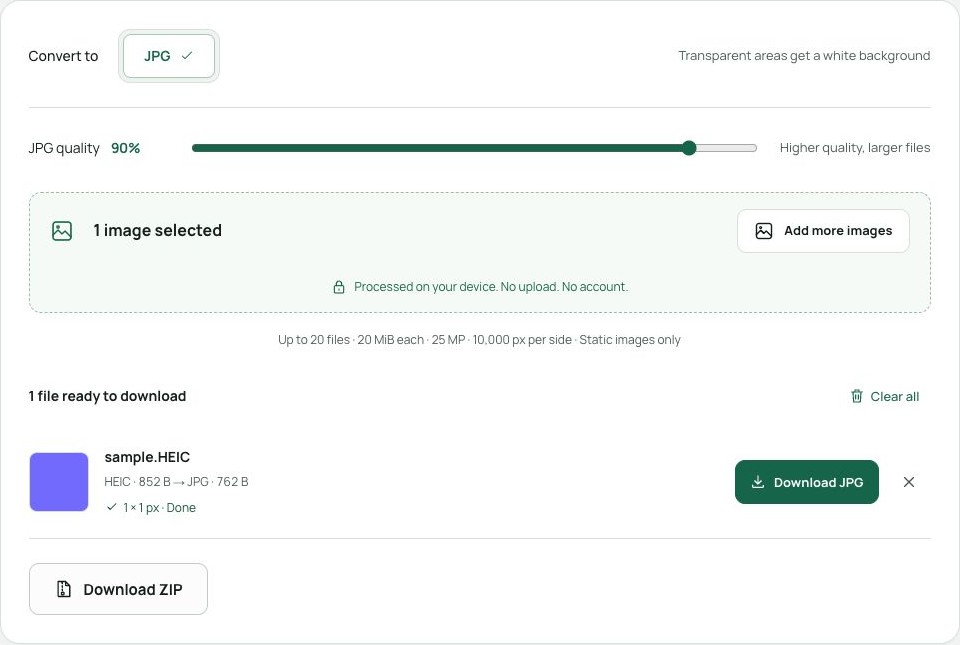
Download and keep the originals
Download each successful JPG, or choose Download ZIP for a batch. Work in smaller batches on a phone if memory is limited. Normal conversion may remove photo metadata and alter color profiles or HDR. Keep your HEIC originals if those details matter; use HEIC to PNG when an app specifically requires PNG.